Table of Contents
Photo Book vs Video Gift vs Digital Frame: How to Choose
Photo book vs video gift vs digital frame: how the three compare on effort, playback, space and setup, and which one fits the person you are giving it to.
You’ve finally pulled 200 photos of your parents out of four phones, a shoebox and your aunt’s Facebook albums. Now you have to decide what to do with them before their anniversary. A photo book? A video with their wedding song? One of those frames that cycles through pictures? Every option looks good in the ad, and none of the ads tells you which one your mother will actually use.
The photo book vs video gift question, with the digital frame as the third option, comes down to how the recipient will look at it. A book is for turning pages slowly. A video is for hearing voices and music while the story moves. A frame is for a steady trickle of photos in the background of daily life. This guide compares them on effort, playback, space and setup, and walks through how to choose and finish whichever one fits.
Key Takeaways
- Choose by how the person looks at memories: pages (book), story with sound (video), or ambient background (frame).
- Digital photos get lost more than people think: parents in one study failed to find almost 40% of photos of salient family events from more than a year earlier (Whittaker, Bergman & Clough, 2010).
- People value physical versions of the same photos, books and films more than digital ones, largely because they feel more ownership (Atasoy & Morewedge, 2018). A digital gift needs a clear “home.”
- The same study of family photos noted that digital frames had been slow to catch on partly because of the effort of setting them up. Plan who will do the setup.
- Whatever you choose, keep the source files: the Library of Congress recommends at least two copies in different places, checked at least once a year.
The real question behind photo book vs video gift
The questions people ask about this are rarely about the products. They’re about the recipient: “My grandma isn’t good with tech, would a digital frame frustrate her?” “Is a slideshow video too cheesy for my dad?” “Will a photo book just sit on the coffee table?”
Those are the right questions. The format matters less than the match between the format and the person’s habits. Some people love to sit with a book on their lap and point at faces. Some people want to hear the song from their wedding and see the clips with sound. Some people want the kitchen counter to show a new grandchild photo every morning without doing anything.
There’s a second question nobody asks until it’s too late: where do the photos come from and where will they live afterward? Assembling any of these gifts means finding original files, not screenshots, and deciding what happens to them once the gift is made. That’s the part that keeps family memories from disappearing, and it’s where most projects stall. If your photos are still scattered, our article on why a trillion photos end up on nobody’s wall explains the scale of the problem.
What research and archivists say
Digital photos are harder to find later than we think. Steve Whittaker, Ofer Bergman and Paul Clough studied 18 parents of young families in Personal and Ubiquitous Computing (2010) and asked them to find photos of important family events from more than a year earlier. They failed to find almost 40% of them. The authors’ abstract lists the likely reasons: storing too many pictures, rudimentary organization, using multiple storage systems, not maintaining collections, and false beliefs about how easily they could find things. The study is small and predates today’s phone galleries and cloud search, but the pattern still sounds familiar. A gift that pulls the best photos into one place does work that most families never get around to.
Frames stall at setup. In the same paper, the authors note that digital photo frames had not been widely embraced, in part because of the effort involved in setting them up. That observation is older and frames have improved, but setup is still the step to plan for, especially for a recipient who won’t do it themselves.
Physical versions feel more owned. Ozgun Atasoy and Carey Morewedge’s five experiments in the Journal of Consumer Research (2018) found people valued physical versions of souvenir photos, books and films more than digital versions of the same things, because physical goods more easily feel like “mine.” When the researchers increased the sense of ownership and control over the digital versions, the gap narrowed. For gift-givers, that’s the argument for giving any video or digital collection a physical form or a dedicated place, not only a link. Our piece on the gift that doesn’t live in a cloud covers this study in more depth.
Archivists want copies in more than one place. The Library of Congress’s guidance on personal digital photographs boils down to four steps: identify where your photos are, decide which are most important, organize the selected ones, and make copies stored in different places, checking them at least once a year. Its guidance on personal video adds making at least two copies and creating new media copies every five years or when necessary. None of the three gift formats replaces this. A book can be lost in a flood, a video file can sit on a dead phone, and a frame can fail. Keep the originals safe separately.
Photo book vs video gift vs digital frame, compared
This table compares the three formats on what matters most to the giver and the recipient. “Effort” means the giver’s work to create it.
| Photo book | Video gift | Digital frame | |
|---|---|---|---|
| Best for | People who like to sit, turn pages and point at faces | Stories that need voices, music and movement | People who enjoy a changing stream of photos in the background |
| Giver’s effort | Medium to high: choosing photos, layout, captions | Medium to high: choosing photos and clips, music, order, editing | Low to start; ongoing if you keep adding photos |
| How they play it | Open it; no power or device | Needs a screen and a way to start it; how easy depends on the device | Always on once set up |
| Sound and voices | None | Yes: music, voices, clips | Usually photos only; some support video |
| Space it takes | A spot on a shelf or table | None for a file; a small spot for a dedicated device | A spot near an outlet |
| Setup for the recipient | None | Ranges from none (a dedicated player) to some (a link, an app, a TV input) | Often Wi-Fi, an app or an account to receive new photos; check before buying |
| Where it can fail | Ends up unopened on a shelf | Stays as a link that’s never replayed | Never set up, or goes stale when no one adds photos |
Read the “where it can fail” row first. Each format fails in a different way, and you can usually predict which one your recipient is prone to. Someone who never opens coffee-table books will leave the book closed. Someone who forgets passwords will never finish the frame setup. Someone who doesn’t watch videos on their phone will leave a link unplayed.
How to choose and finish the right one
Step 1: Watch how they look at memories now
For a week, notice how the recipient handles photos. Do they flip through printed albums when family visits? Watch videos people send them, with sound on? Keep a phone wallpaper of the grandkids? Their current habit predicts which format they’ll use. Common mistake: choosing the format you would enjoy.
Step 2: Decide what the gift needs to carry
If the story depends on a voice, a song or movement (a toast, a first dance, a baby’s laugh), a video carries it best. If it depends on many faces and captions, a book does. If it’s about daily presence rather than one story, a frame does. Common mistake: forcing a story with sound into silent pages, or a single event into a frame that dilutes it among hundreds of photos.
Step 3: Gather originals, not screenshots
Ask family for the original files through a shared album or a cloud folder, and download full-resolution versions. Screenshots of social media posts look soft when printed or shown on a bigger screen. Follow the Library of Congress steps while you’re at it: identify, decide, organize, copy. Common mistake: collecting 500 photos and choosing none. Choose 30 to 80 for a book, 20 to 60 for a short video.
Step 4: Build it around one story
Whatever the format, give it a beginning, middle and end: how they met, the years in between, where they are now. Order photos by time or by theme, not at random. For a video, pick one song that matters to them and cut to its length. Common mistake: including every photo you found, which turns a story into an archive.
Step 5: Solve the setup before you give it
For a frame, set it up yourself, connect it to the recipient’s Wi-Fi if needed and load the first photos. For a video, decide exactly how they’ll watch it: a TV input, a link they can tap, a dedicated device. Write the instructions on a card. For a book, there’s nothing to set up, which is part of its appeal. Common mistake: handing over a box and a password.
Step 6: Keep a copy of everything
Save the final book file, the finished video and the chosen photos in two places, such as a cloud folder and an external drive. Share a copy with a sibling. That way the gift can be reprinted, replayed or replaced, and the family’s best photos are finally in one safe place. Common mistake: assuming the gift itself is the backup.
What not to do
Don’t choose a frame for someone who’ll need you to fix it every month unless you’re willing to. Don’t give a video as only a link in a text message. And don’t wait for perfect photos; a slightly blurry picture of a real moment beats a perfect stock-looking one.
How to make it personal
If you have 10 minutes
Pick the format using Step 1 and write down the one story the gift will tell. Then create a shared album and send the link to three relatives asking for their favorite photo of the person.
If you have a weekend
Choose 30 to 60 photos, put them in order and add one line of caption or one song. That’s enough for a short book or a two-to-four-minute video. If the recipient is trying to own less, our guide to sentimental gifts without clutter helps you choose between a physical and a digital version.
If you want it to last years
A keepsake survives when it has a physical presence, their faces in it, one story attached and an easy way to replay it. Add the backups from Step 6 so it can be remade if the original is lost.
The question to ask yourself: “Six months from now, will they still be looking at this, and what will they have to do to look at it?”
Frequently asked questions
Is a photo book or a video better as a gift?
It depends on the person and the story. A photo book suits people who enjoy turning pages and doesn’t need power or setup. A video suits stories that depend on voices, music and movement, but needs a screen and an easy way to play it. Watch how the recipient looks at photos now and match that habit.
Are digital photo frames good for elderly parents?
They can be, if someone handles the setup and keeps adding photos. Many connected frames use Wi-Fi, an app or an account to receive new pictures. Whittaker and colleagues (2010) noted that setup effort was one reason frames were slow to catch on. Set it up before you give it and decide who will update it.
How many photos should go in a photo book or video?
For a book, 30 to 80 well-chosen photos usually tells a story without overwhelming. For a short video of two to four minutes, 20 to 60 photos and clips often fit one song. These are practical ranges rather than research findings. Fewer, better photos beat including every picture you found.
How do I keep family photos safe after making the gift?
Follow the Library of Congress guidance: identify where your photos are, decide which matter most, organize them, and keep copies in at least two places, checking them once a year. Keep the finished book file or video as well, so the gift can be reprinted or replayed if it’s lost.
Why do people value physical photo gifts more than digital ones?
Atasoy and Morewedge (2018) found people valued physical versions of photos, books and films more than digital versions, mainly because physical things feel more owned. When digital versions were made to feel more owned and controllable, the gap narrowed. Giving a digital gift a dedicated home helps.
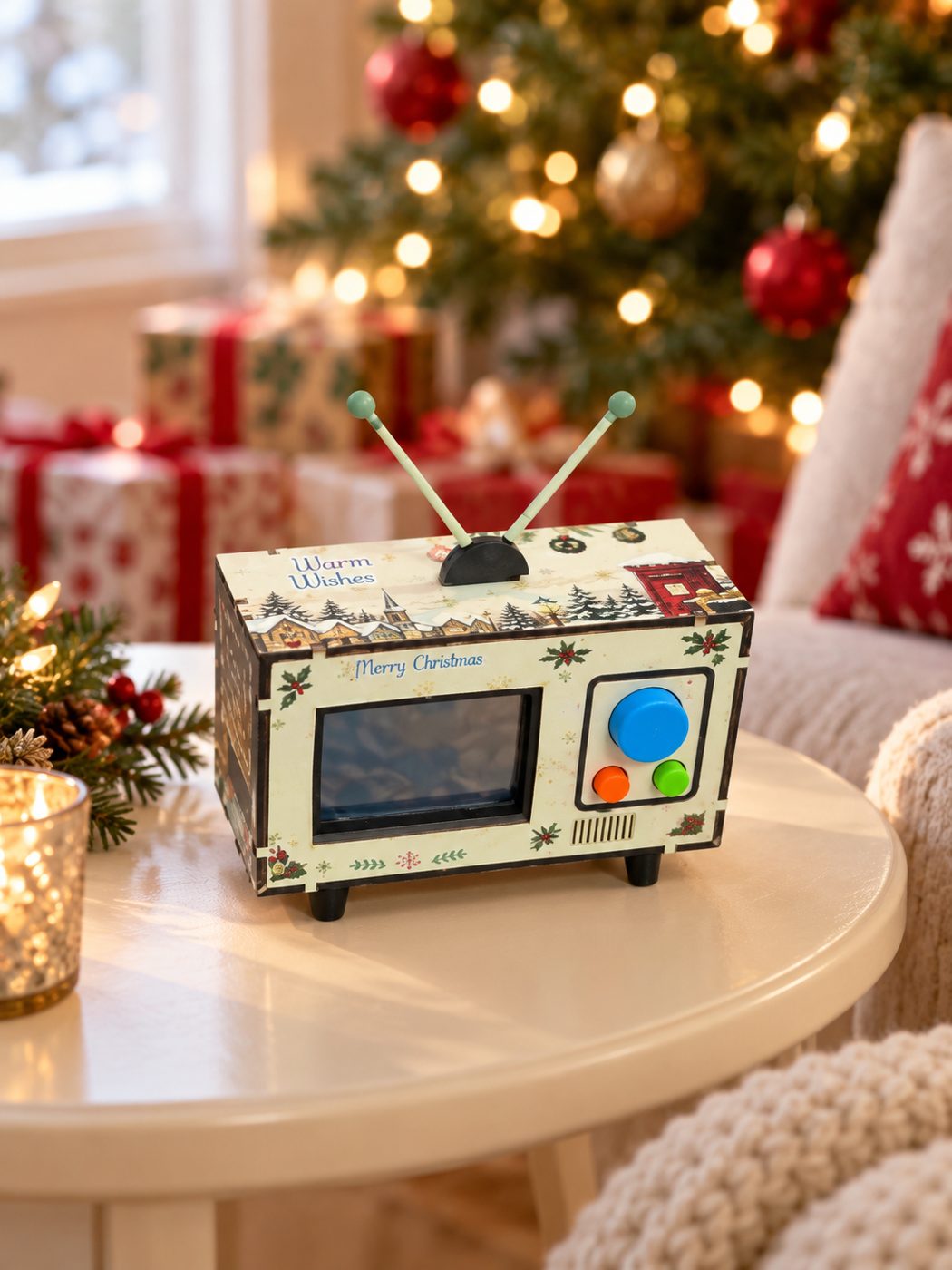
If you’d rather have the video and an original song built for you and loaded onto a small TV that plays without Wi-Fi, an app or an account, that’s what we make at Watch N Wow.
About the author
Ricky Flores is the founder of Watch N Wow and an electrical engineer with 15+ years of experience building consumer technology at Apple, Samsung, and Texas Instruments. In Dallas, Texas, he builds the Mini Memory TV by hand: a small retro TV that plays a video, a message and an original song made from your photos and your story. Read more at watchnwow.com.
Sources
- Whittaker, S., Bergman, O., & Clough, P. (2010). “Easy on that trigger dad: A study of long term family photo retrieval.” Personal and Ubiquitous Computing, 14(1), 31–43. https://doi.org/10.1007/s00779-009-0218-7 (author copy: https://eprints.whiterose.ac.uk/10334/1/Clough_10334.pdf)
- Atasoy, O., & Morewedge, C. K. (2018). “Digital goods are valued less than physical goods.” Journal of Consumer Research, 44(6), 1343–1357. https://doi.org/10.1093/jcr/ucx102
- Library of Congress. “Personal Archiving: Digital Photographs.” https://digitalpreservation.gov/personalarchiving/photos.html
- Library of Congress. “Personal Archiving: Digital Video.” https://digitalpreservation.gov/personalarchiving/video.html